

Hi Python enthusiast! 🐍
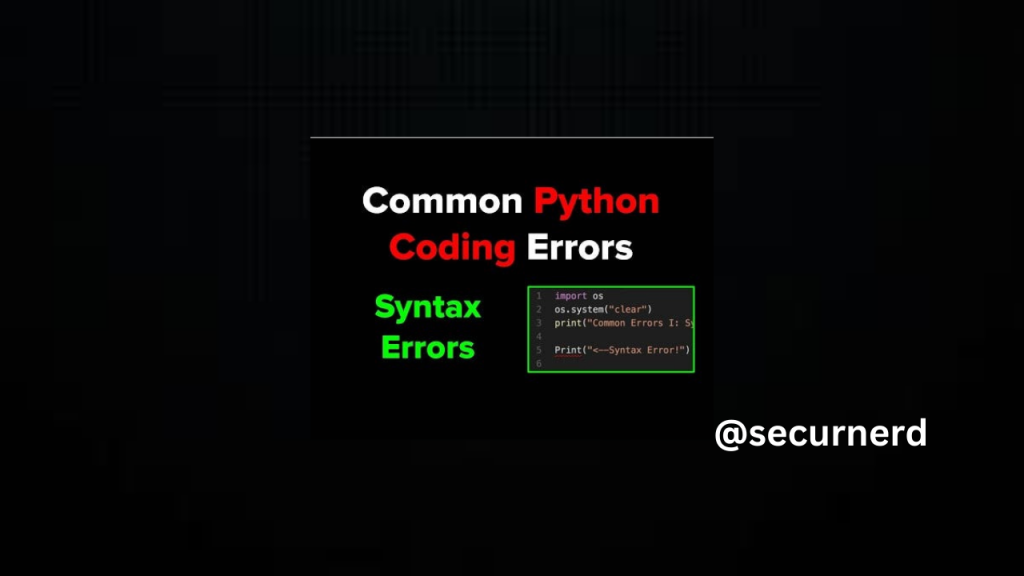
In this course, we will explore 10 common errors in Python, along with tips on how to check and solve them. These are errors that you often encounter when using Python. Master how to deal with these errors and use Python more smoothly! 🚀
Here is Python Mastery: From Beginner to Expert
What to do when an error occurs in Python
The basic steps for checking for errors in Python are as follows:
First, check the error name
Check the specific error
With the basic steps covered above in mind, we will now introduce 10 common Python errors and how to solve them!

10 Common Python Errors and Solutions
1. SyntaxError
What is a SyntaxError?
A SyntaxError happens when the code has incorrect syntax or writing style.
Example: Missing Colon in Function Definition
For example, if you define a Python function with incorrect syntax like this:
def hello()
  print('securnerd')
You’ll get the following output:
File "<ipython-input-1-4066c70d36ab>", line 1
 def hello()
           ^
SyntaxError: invalid syntax
In this case, the error message SyntaxError: invalid syntax means there’s an issue with how the code is written.
How to Resolve a SyntaxError
The solution is to rewrite the code with the correct syntax. Here, the colon after def hello() is missing. Fix it like this:
def hello():
# Error due to full-width space before print
     print('securnerd')
Other Types of SyntaxErrors
- Missing Parentheses:
def hello():
     print('securnerd'
Error output:
def hello():
# Error due to full-width space before print
    print('securnerd')
2 . Unnecessary Spaces:
def hello():
# Error due to full-width space before print
    print('securnerd')
Error output:
| File “<ipython-input-2-a1e0843d1546>”, line 1 def hello(): ^ SyntaxError: invalid character in identifier |
2. NameError
What is a NameError?
A NameError occurs when you try to use a variable or function name that hasn’t been defined or is out of scope.
Example: Using an Undefined Variable
For example, if you try to use a variable that hasn’t been defined, like this:
hello
You’ll see the following error:
NameError Traceback (most recent call last) <ipython-input-3-e0807d390f82> in <module>() ----> 1 hello NameError: name 'hello' is not defined
NameError: name ‘hello’ is not defined
This error message indicates that Python doesn’t recognize hello because it hasn’t been assigned a value.
How to Resolve a NameError
To resolve a NameError, you need to either correct the spelling of the variable name if it’s misspelled or define the variable if it doesn’t exist. In this example, the variable hello is not defined. Defining it will fix the error:
hello = 'securnerd'
 print(hello)
This code assigns the string ‘securnerd’ to the variable hello, and then prints it, avoiding the NameError.
3. TypeError
What is a TypeError?
A TypeError occurs when an operation or function is applied to an object of inappropriate type. This usually happens when you try to perform operations on incompatible types, like adding a string to an integer.
Example: Mixing Data Types in an Operation
For example, if you try to add a number and a string:
1 + '1'
You’ll see this error:
TypeError Traceback (most recent call last) <ipython-input-1-7ff5cb60d31b> in <module>() ----> 1 1 + '1' TypeError: unsupported operand type(s) for +: 'int' and 'str'
This error message means that Python doesn’t support adding an integer (int) and a string (str) together because they are different types.
How to Resolve a TypeError
To resolve a TypeError, you must ensure that the data types are compatible with the operation you’re trying to perform. In this case, you have two options: convert the string to an integer or convert the integer to a string.
- Convert the string to an integer:
result = 1 + int('1') # Converts '1' to 1 and adds the numbers print(result) # Output: 2
- This converts the string ‘1’ to the integer 1 before performing the addition.
2. Convert the integer to a string:result = str(1) + '1' # Converts 1 to '1' and concatenates the strings print(result) # Output: '11'
This converts the integer 1 to the string ‘1’ before performing the concatenation.
3. TypeError
What is TypeError? A TypeError occurs when the data type of an operand is inappropriate for the operation being performed.
Example:
| 1 + ‘1’ |
Error Message:
| TypeError: unsupported operand type(s) for +: ‘int’ and ‘str’ |
The operation 1 + ‘1’ attempts to add an integer and a string, which is unsupported.
How to Fix It: Change the operand to the correct data type.
| 1 + 1 |
4. ValueError
What is ValueError? A ValueError occurs when you pass an argument to a function of the right type but with an inappropriate value.
Example:
| int(‘1.0’) |
Error Message:
| ValueError: invalid literal for int() with base 10: ‘1.0’ |
The function int() can’t convert the string ‘1.0’ to an integer.
How to Fix It: Pass a value that the function can process.
| int(‘1’) |
5. IndentationError
What is IndentationError? An IndentationError happens when your code blocks are not properly indented. Python uses indentation to define the structure of code blocks.
Example:
| def hello(): self.name = ‘securernd’ self.age = 0 |
Error Message:
| IndentationError: unexpected indent |
The line self.age = 0 is not correctly aligned with the previous line.
How to Fix It: Ensure all lines are properly aligned.
| def hello(): self.name = ‘securernd’ self.age = 0 |
6. IndexError
What is IndexError? An IndexError occurs when you try to access an index that is out of the range of a list.
Example:
| numbers = [0, 1, 2] numbers[10] |
Error Message:
| IndexError: list index out of range |
The index 10 does not exist in the list numbers.
How to Fix It: Use an index that is within the range.
| numbers = [0, 1, 2] numbers[2] |
7. KeyError
What is KeyError? A KeyError occurs when you try to access a dictionary with a key that does not exist.
Example:
| city = {‘New York’: ‘NY’, ‘California’: ‘CA’, ‘Texas’: ‘TX’} city[‘Florida’] |
Error Message:
| KeyError: ‘Florida’ |
The key ‘Florida’ is not in the dictionary city.
How to Fix It: Use an existing key.
| city = {‘New York’: ‘NY’, ‘California’: ‘CA’, ‘Texas’: ‘TX’} |
| city[‘New York’] |
8. ModuleNotFoundError
What is ModuleNotFoundError? A ModuleNotFoundError occurs when you try to import a module that does not exist.
Example:
| import nump as np |
Error Message:
| ModuleNotFoundError: No module named ‘nump’ |
There is a typo in the module name; it should be numpy.
How to Fix It: Correct the module name.
| import numpy as np |
9. FileNotFoundError
What is FileNotFoundError? A FileNotFoundError occurs when you try to open a file that does not exist.
Example:
| file = open(‘sampl.txt’) |
Error Message:
| FileNotFoundError: [Errno 2] No such file or directory: ‘sampl.txt’ |
The file name is incorrect.
How to Fix It: Correct the file name.
| file = open(‘sample.txt’) |
10. AttributeError
What is AttributeError? An AttributeError occurs when you try to use an attribute or method that does not exist on an object.
Example:
| codelivly = 0 codelivly.append(1) |
Error Message:
| AttributeError: ‘int’ object has no attribute ‘append’ |
The integer object codelivly does not have an append method.
How to Fix It: Use an object that supports the method.
| codelivly = [0] codelivly.append(1) |
So this was all about our take on some well-known Python errors and solutions to them. In this blog post, I have tried to make you understand these errors and their basic fixes that walk you through some common scenarios and solve them so that other non-discussed exceptions can be tackled easily. Just be sure to begin by searching for the name of the error and then explore specific knowledge on what the issue is and how you may fix it.
If you know about these common mistakes, you will be more self-assured in your Python coding and debugging. If you are interested in learning more and getting good at Python, check out Python Mastery: From Beginner to Expert. After all, its goal is to lead you through the very basics as well as advanced topics that provide a continuous learning experience starting with the vernacular.